01
Focus
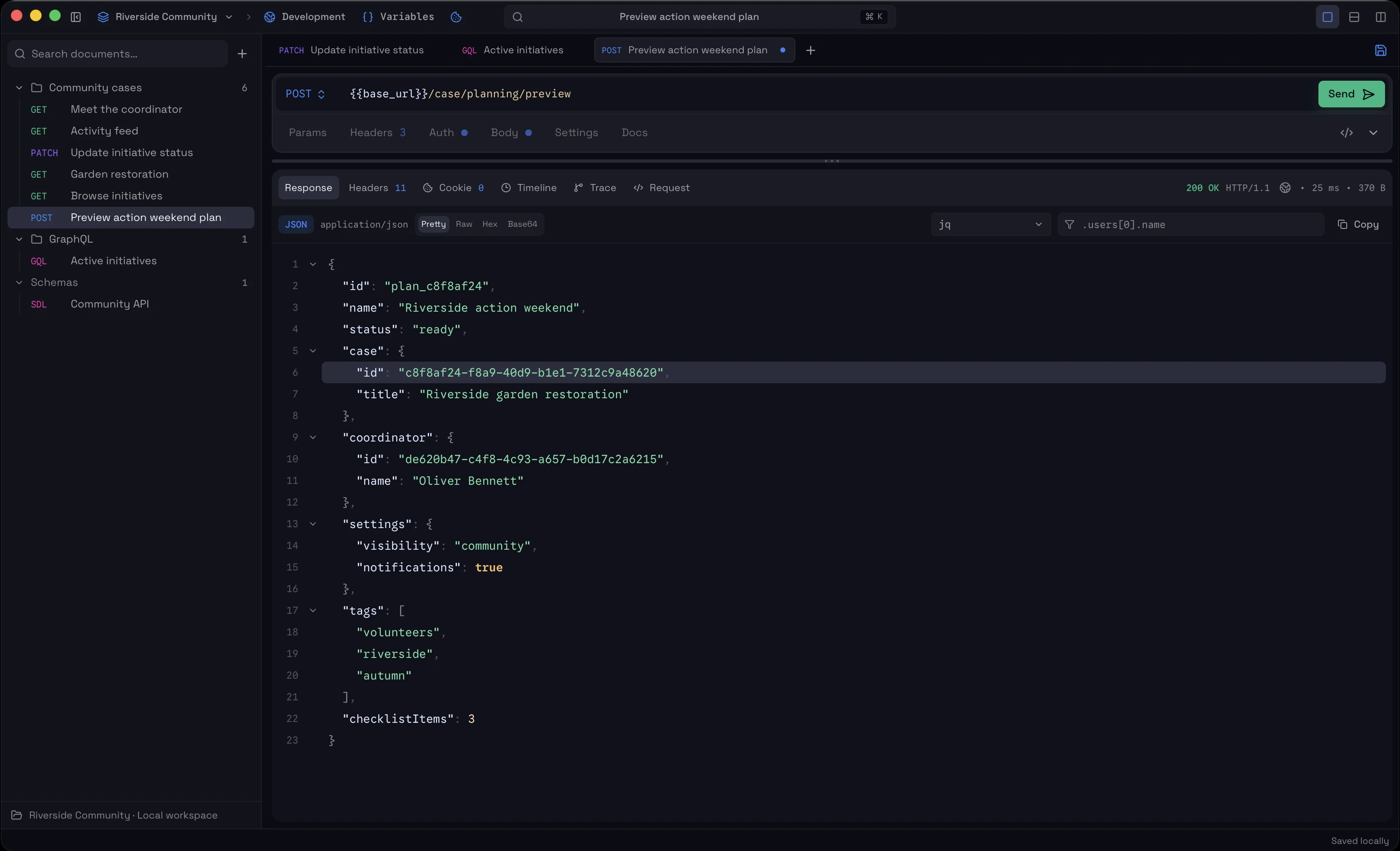
A little less UI. A lot more focus.
A focused HTTP and GraphQL client that adapts the workspace around what you're doing — from request to response and trace.
Local-first · HTTP · GraphQL · Jaeger Tracing · Encrypted Storage
01 / JAEGER TRACING
Open the trace behind a request and see exactly where the time went.
Purr integrates with Jaeger so you can move from the response to the trace without leaving your workflow.
View trace02 / FOCUS MODE
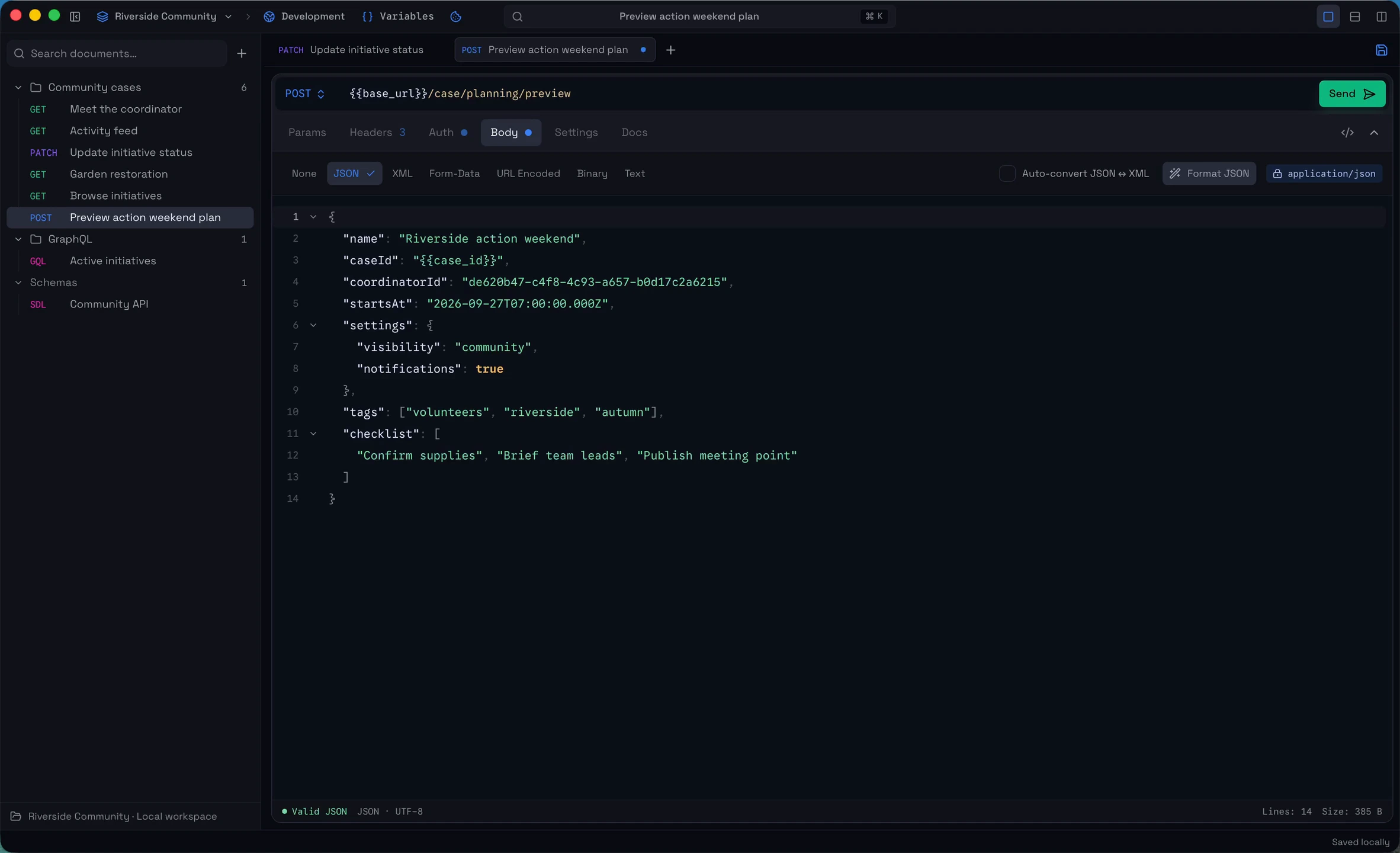
The request gets the canvas.
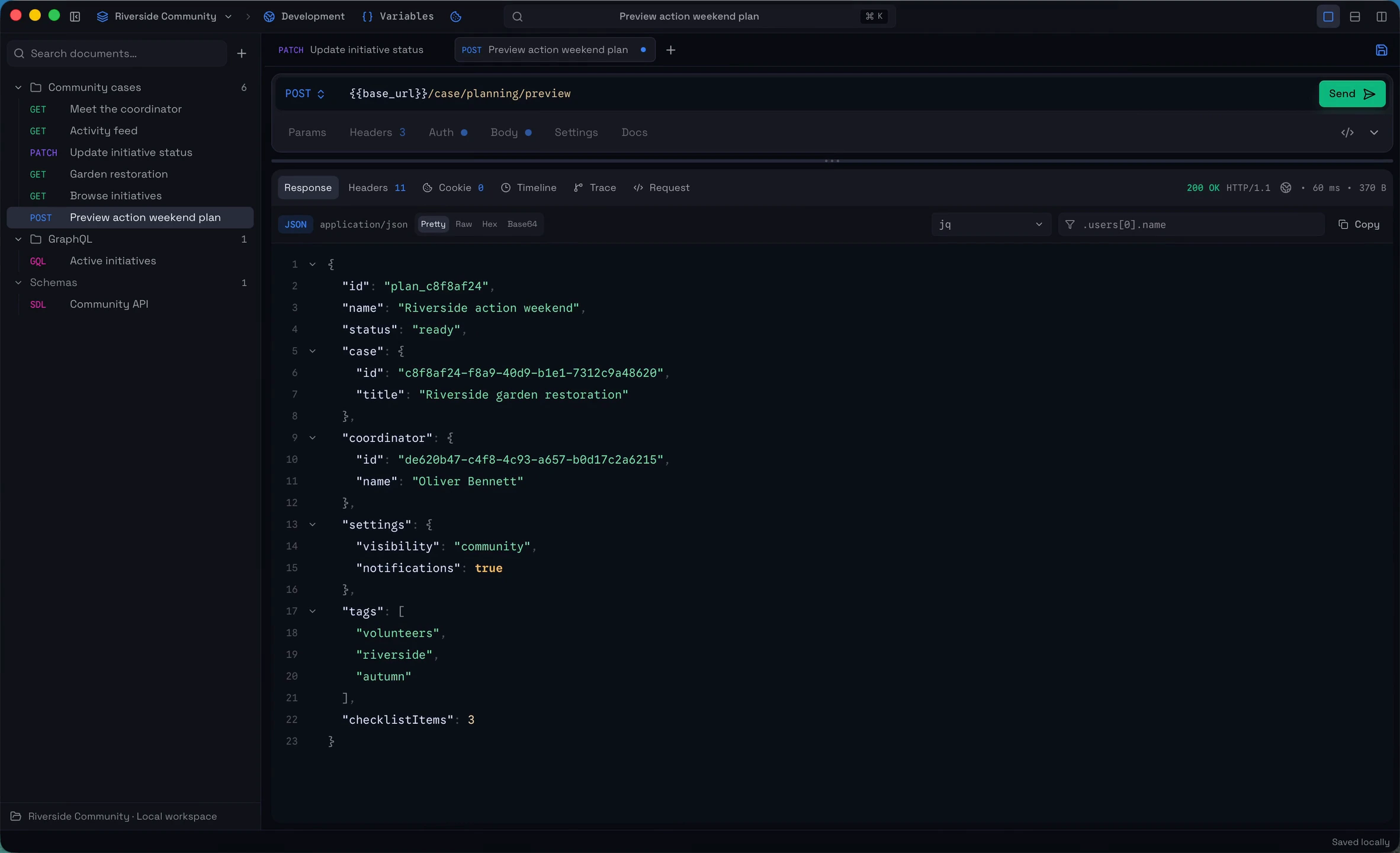
The response takes over.
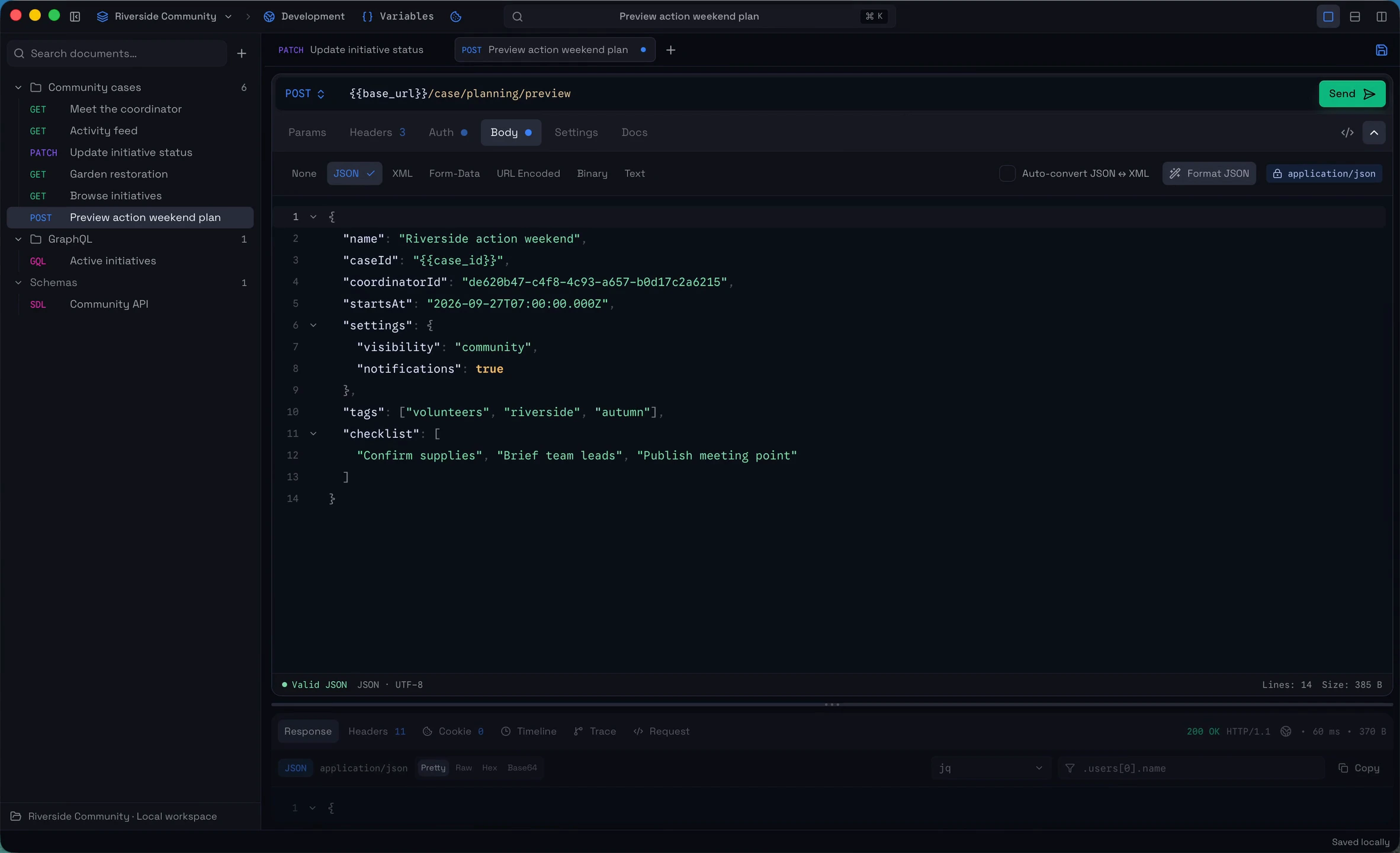
Expand without losing context.
03 / FIRST-CLASS GRAPHQL
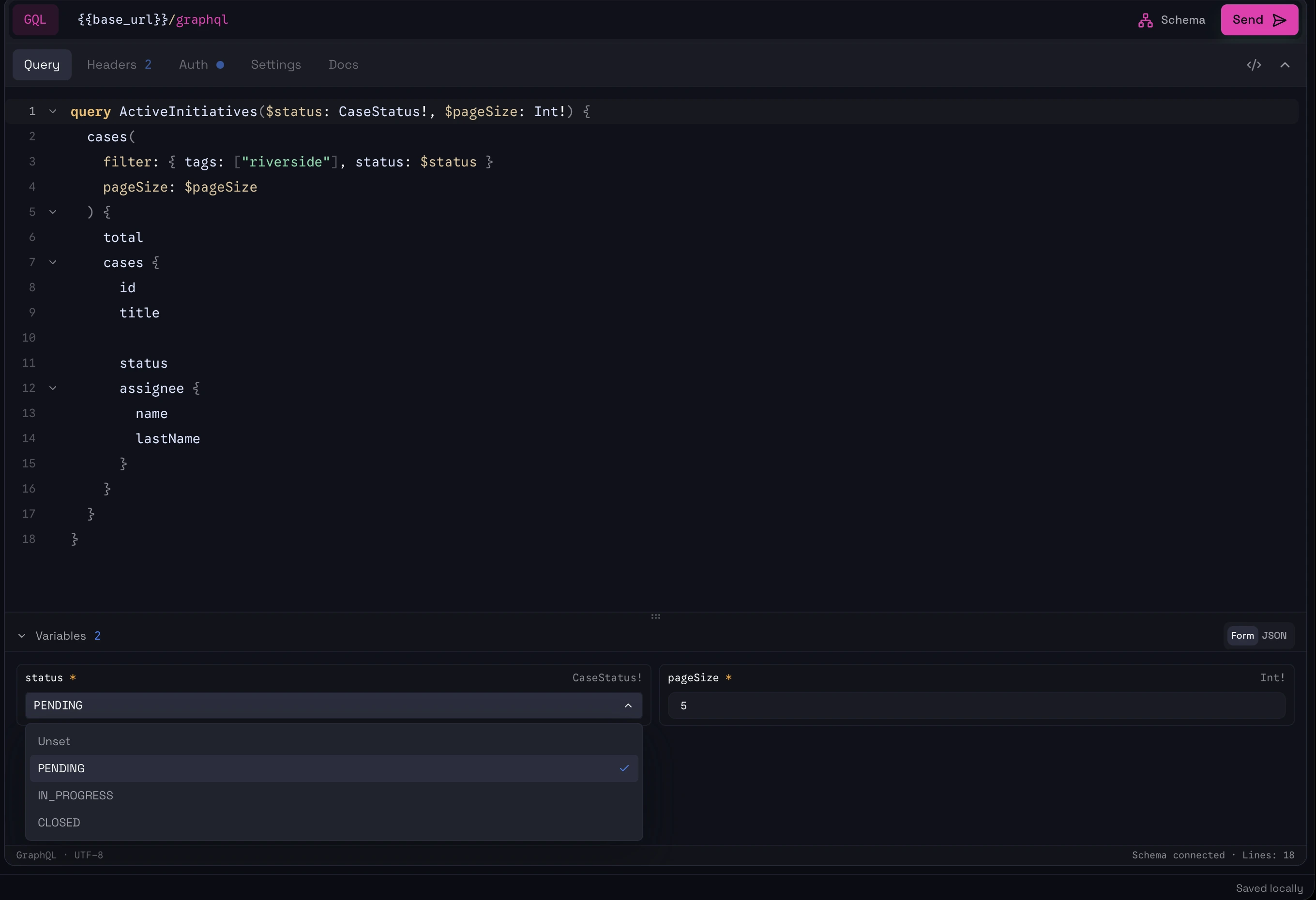
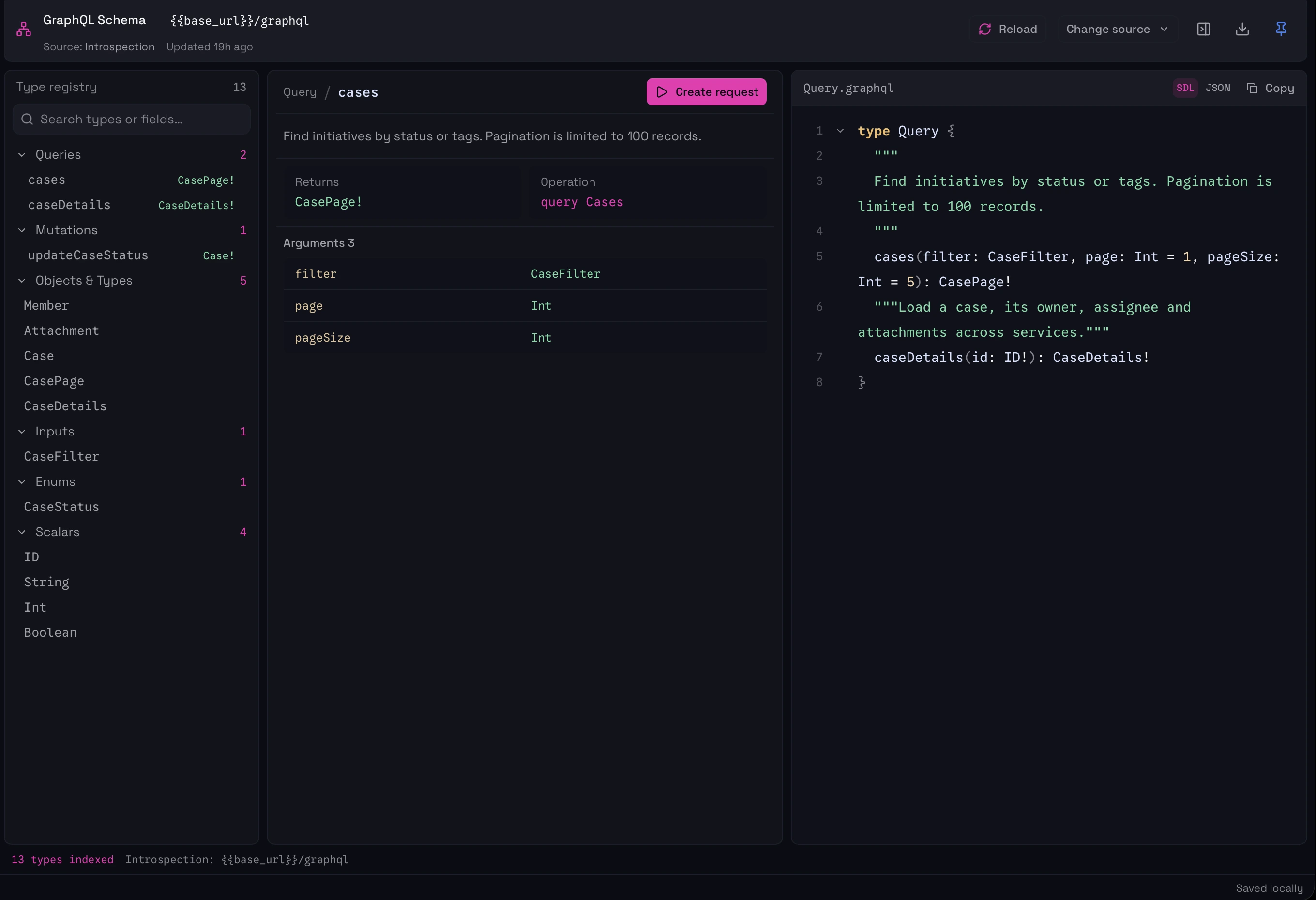
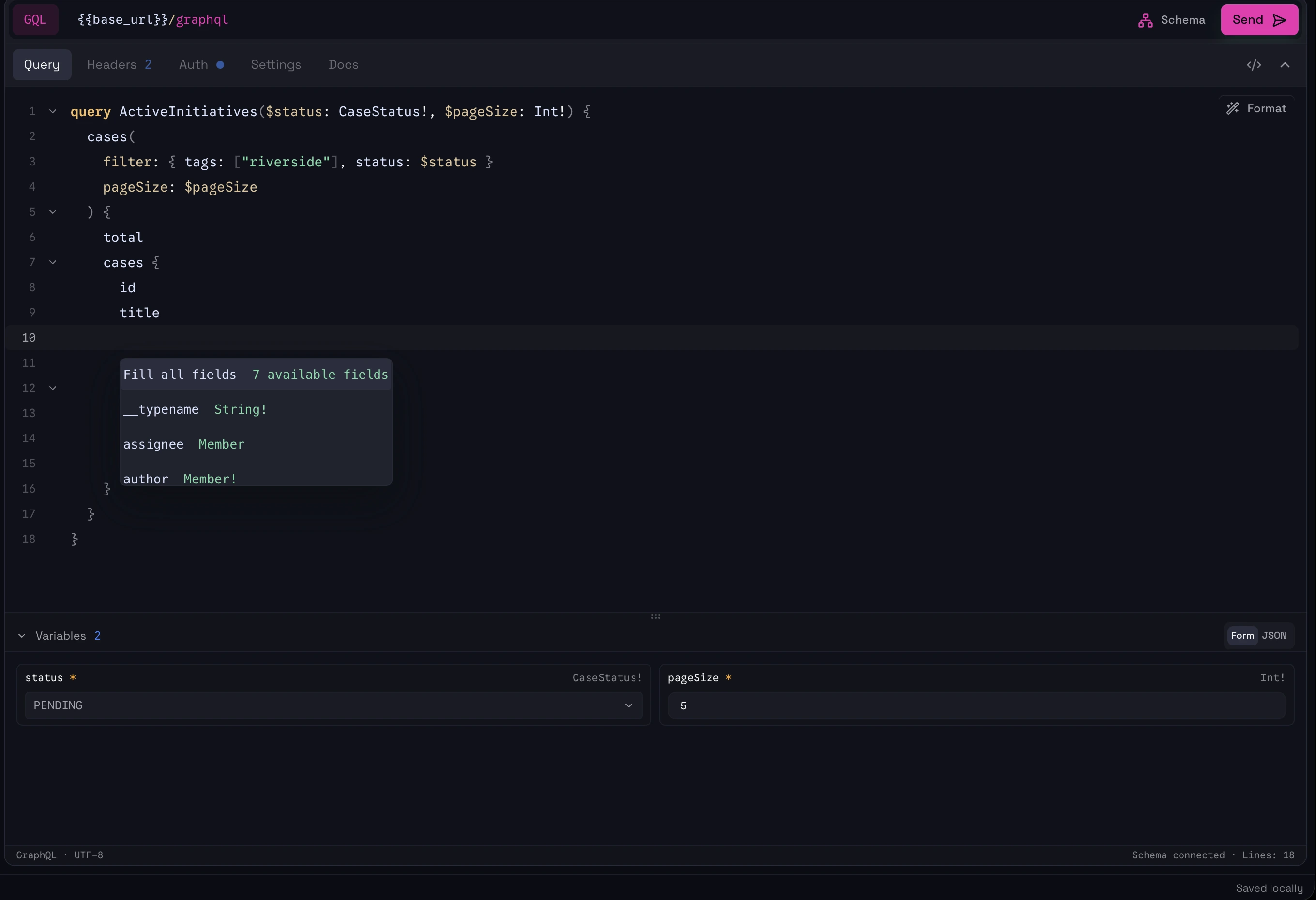
Work with multiple operations, schema-aware editing, autocomplete, schema exploration, and structured variable forms without constantly switching between your query and raw JSON.
Explore GraphQL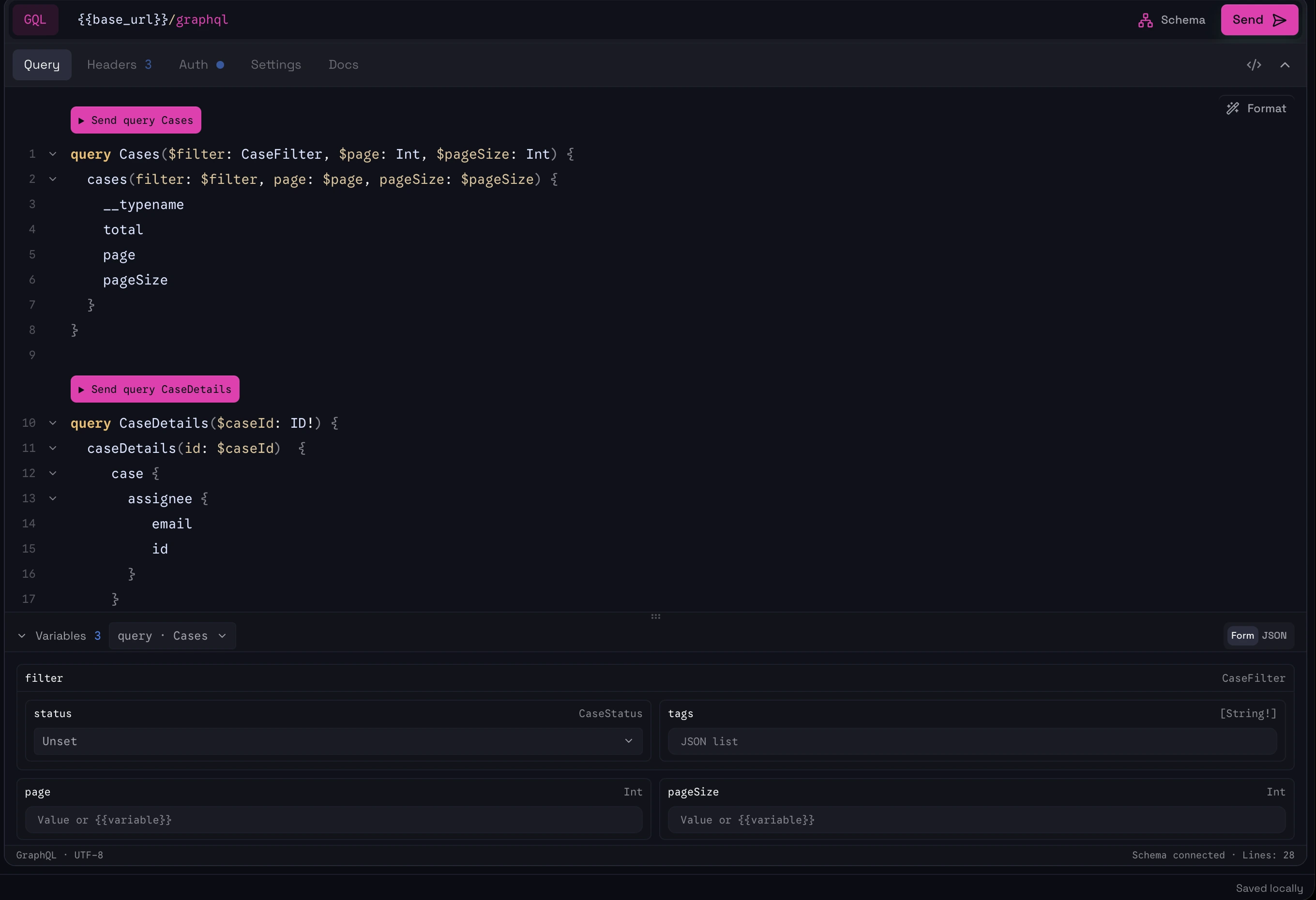
04 / HTTP WORKFLOW
Build the request, send it, and inspect what came back. Headers, auth, body, timing and response data stay close without competing for your screen.
Explore requests05 / DYNAMIC VARIABLES
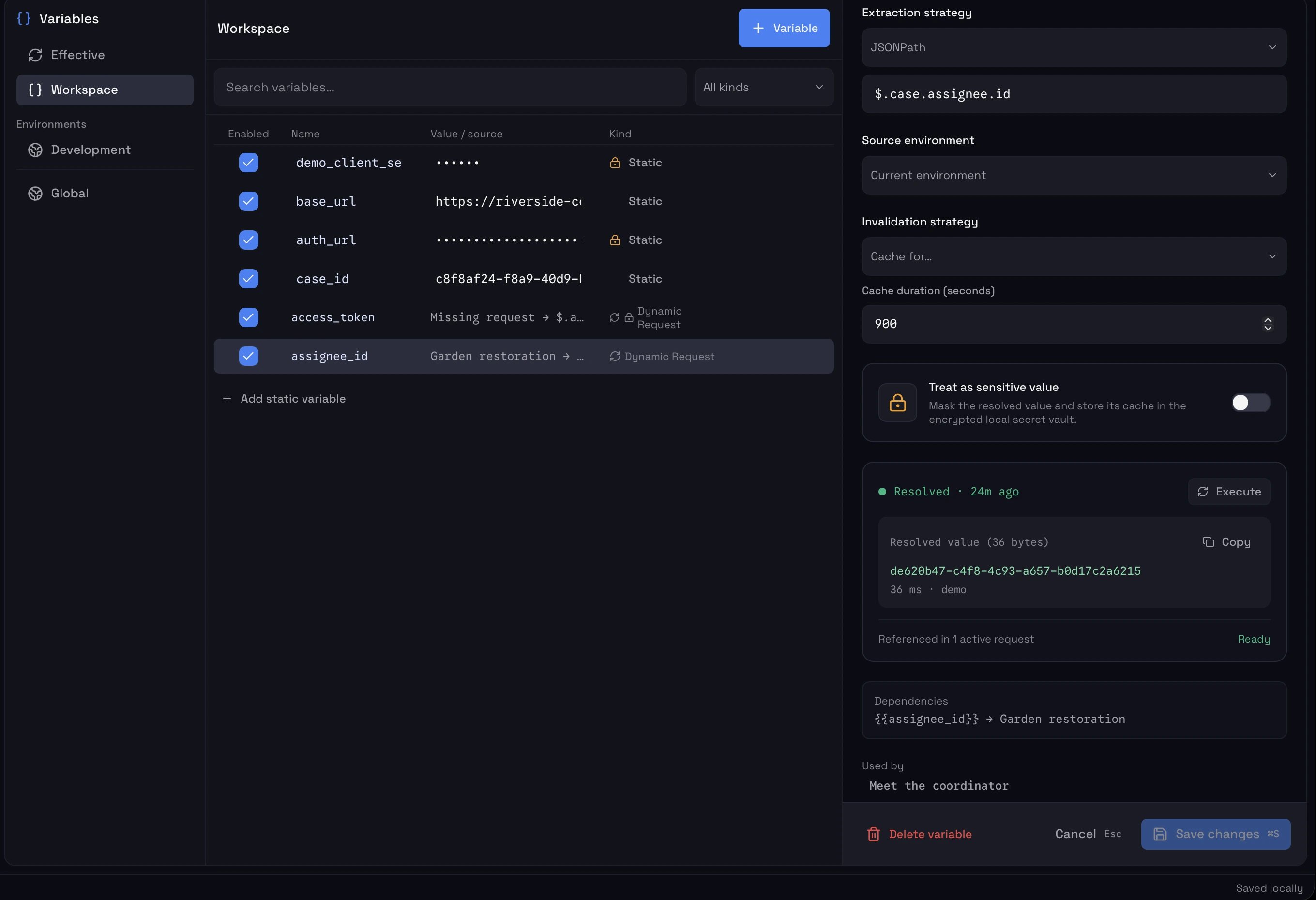
Extract values from a response and reuse them anywhere else in the workspace.
No scripts just to pass an access token, ID, or generated value from one request into another.
Learn about variablesassignee.idA value in the response
$.case.assignee.idSelect it with JSONPath
assignee_idKeep a dynamic reference
${{assignee_id}}Use it in another request
06 / JQ + JSONPATH
Filter JSON responses in place with jq or JSONPath.
Keep the original response intact and inspect only the data you care about.
See filtering07 / OPENAPI 3 + CURL
Paste cURL or import an OpenAPI 3 specification and start working without rebuilding requests by hand.
See import optionsopenapi.yamlcurl command08 / REQUEST TIMELINE
See connection time, TTFB, download time, headers, redirects, TLS details, and more without leaving the response.
Open timeline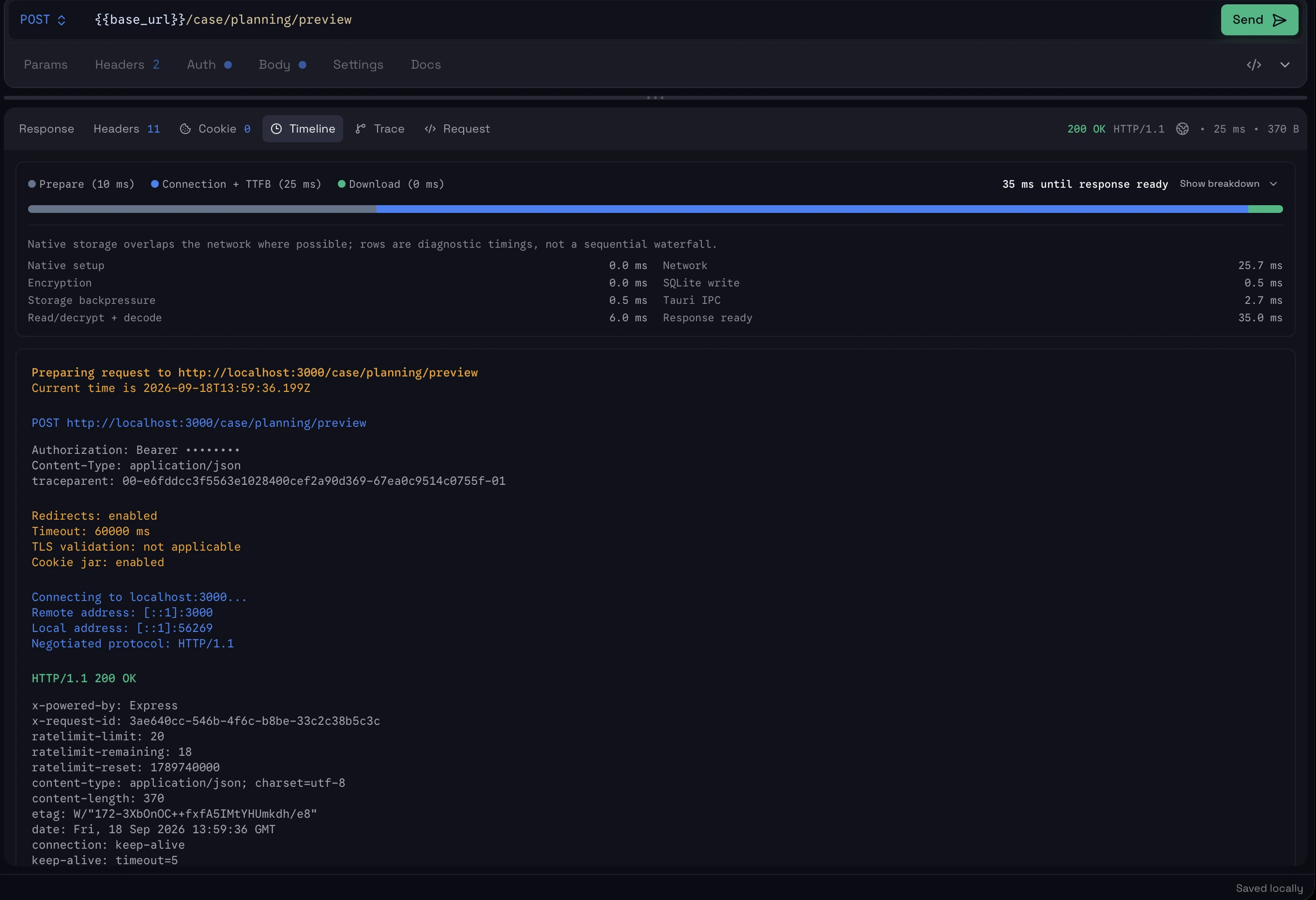
09 / ENCRYPTED LOCAL STORAGE
Responses can be encrypted before they are written to local storage, so your saved API history does not have to sit on disk as readable plaintext.
{ … }10 / YOUR WORKSPACE, YOUR WAY
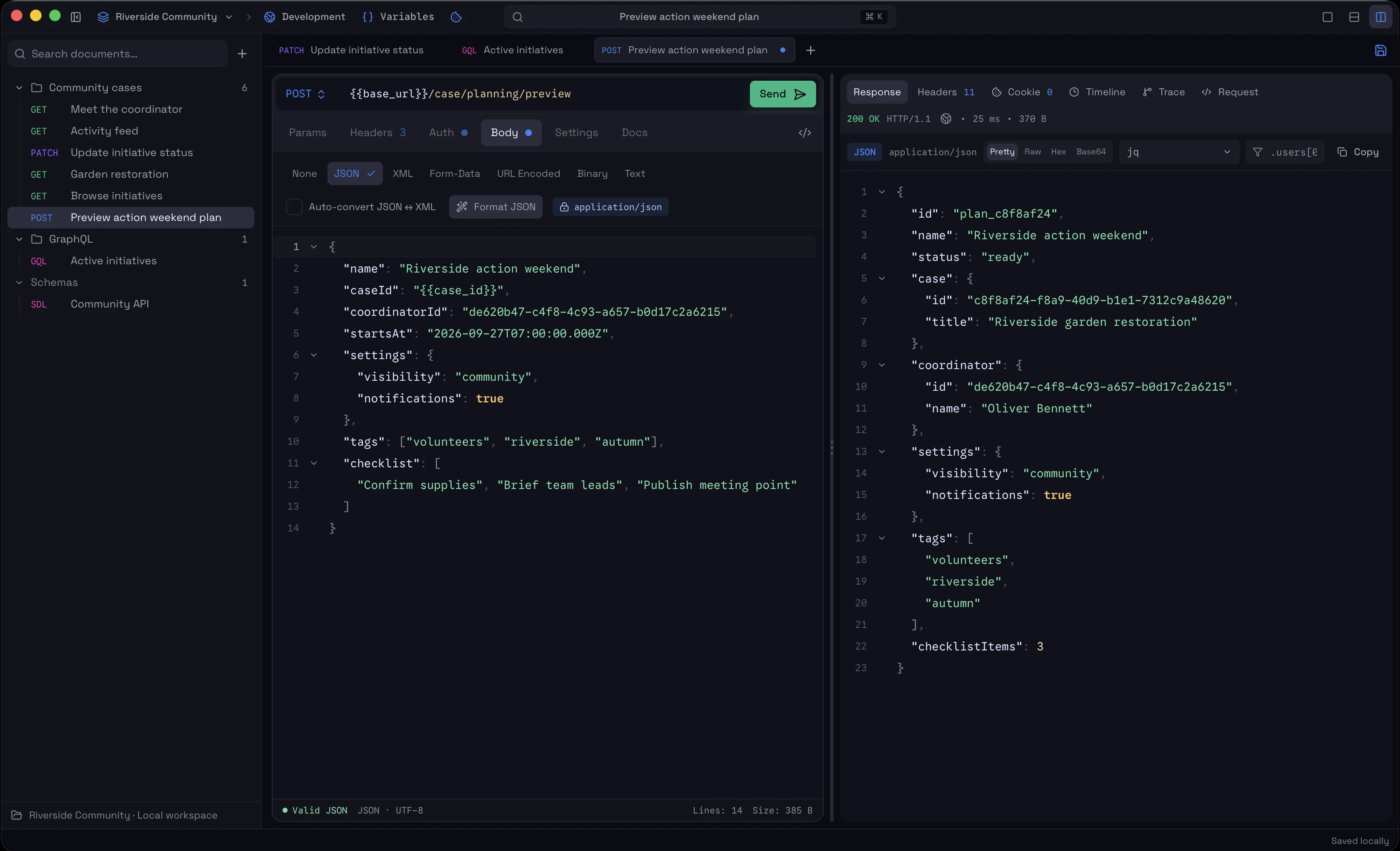
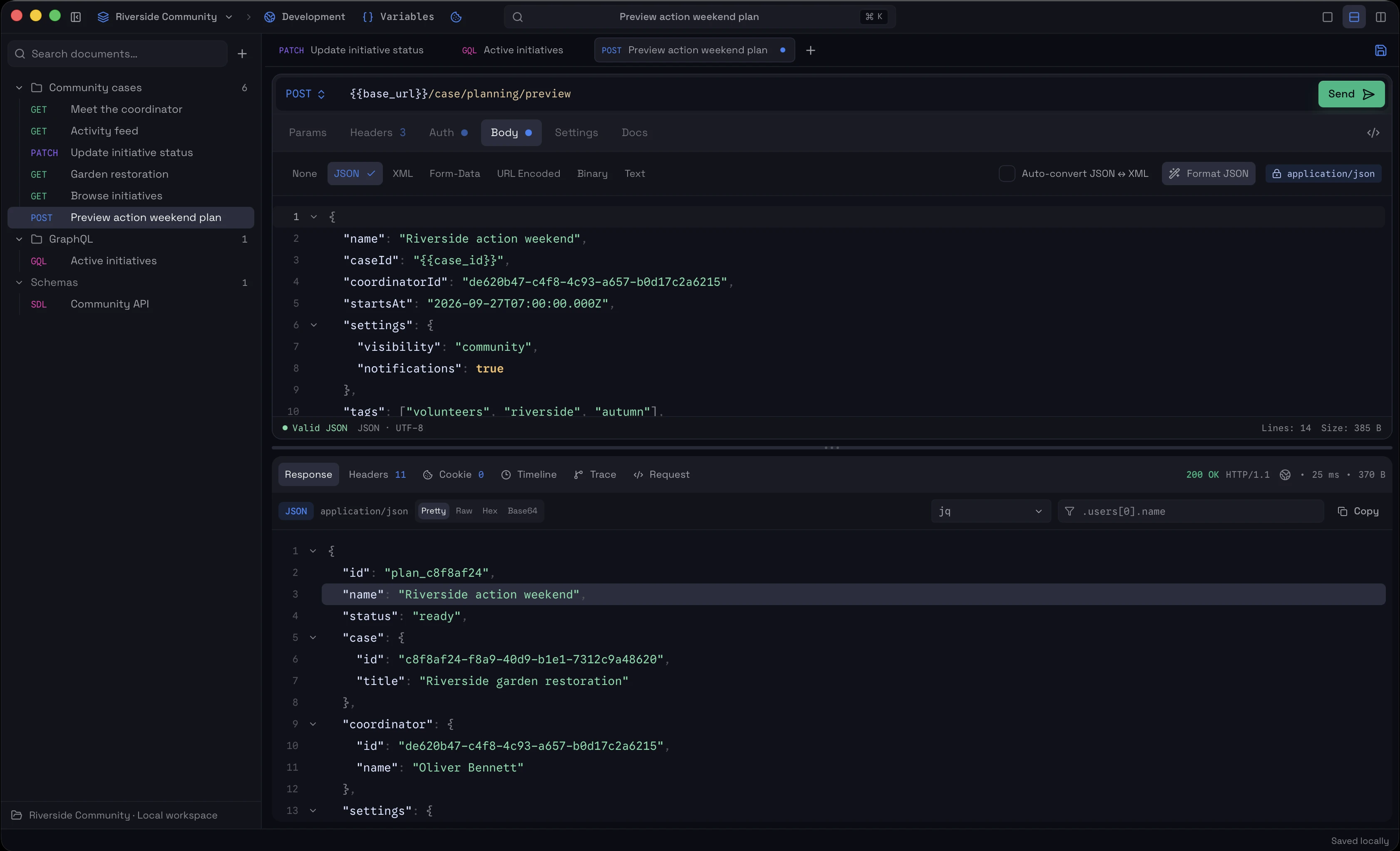
Use Focus Mode for a single task, or switch to horizontal and vertical splits whenever you want request and response visible together.
Scroll to compare all three layouts
THE TOOLKIT

GET INTO YOUR FLOW
Download it, point it at an API, and see if the workflow fits.
macOS · Local-first