I have spent a lot of time working with GraphQL APIs.
Browser-based GraphQL tools are great when everything is simple. But eventually the schema is behind authentication, requests need custom headers, you want to keep queries around, or you are switching between several operations and variable sets.
At that point I usually ended up moving back into a general HTTP client. The problem is that GraphQL support in many HTTP clients still feels like a special body type for a POST request.
Purr treats GraphQL as its own workflow.
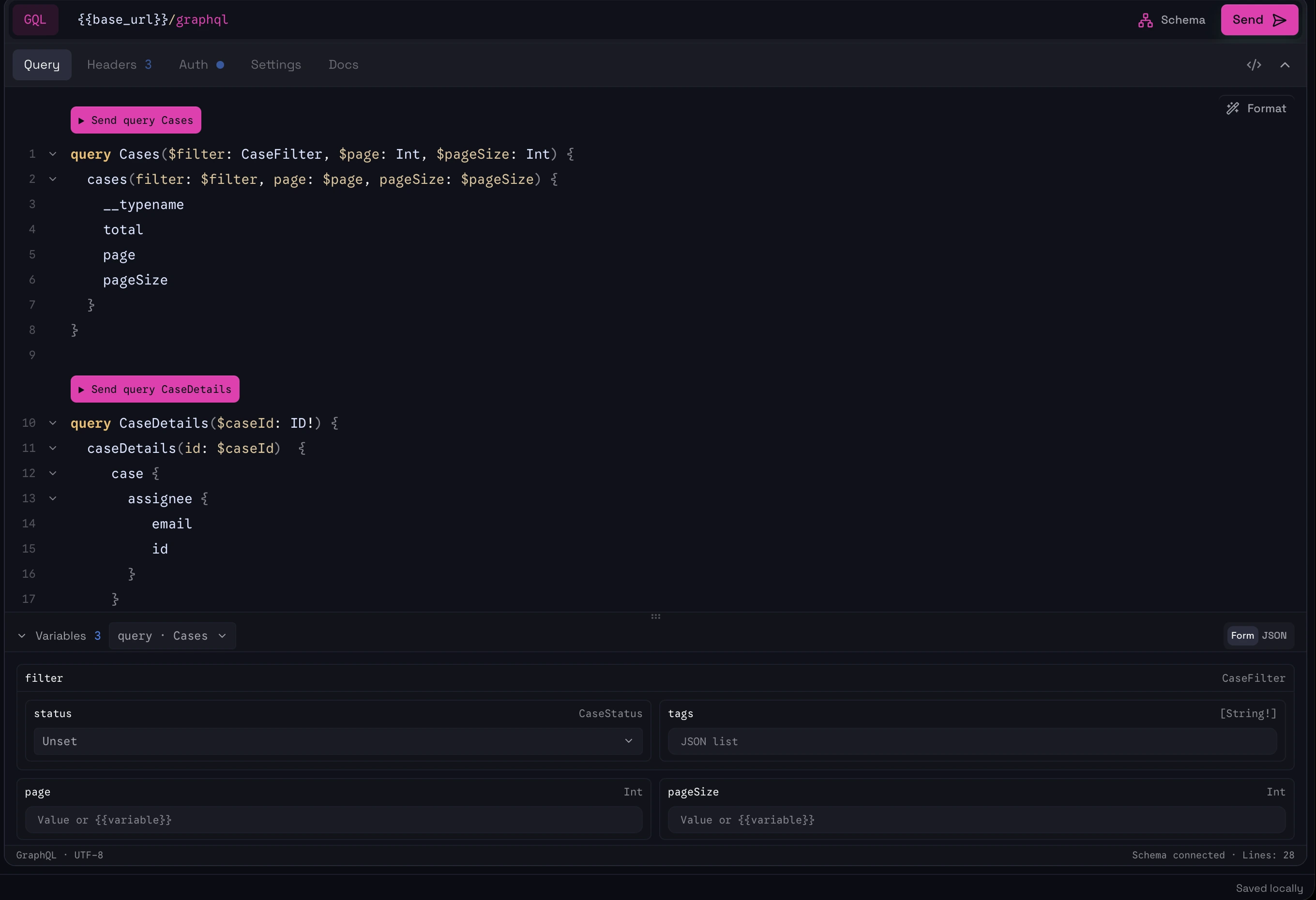
Multiple operations. Run the one you need.↗
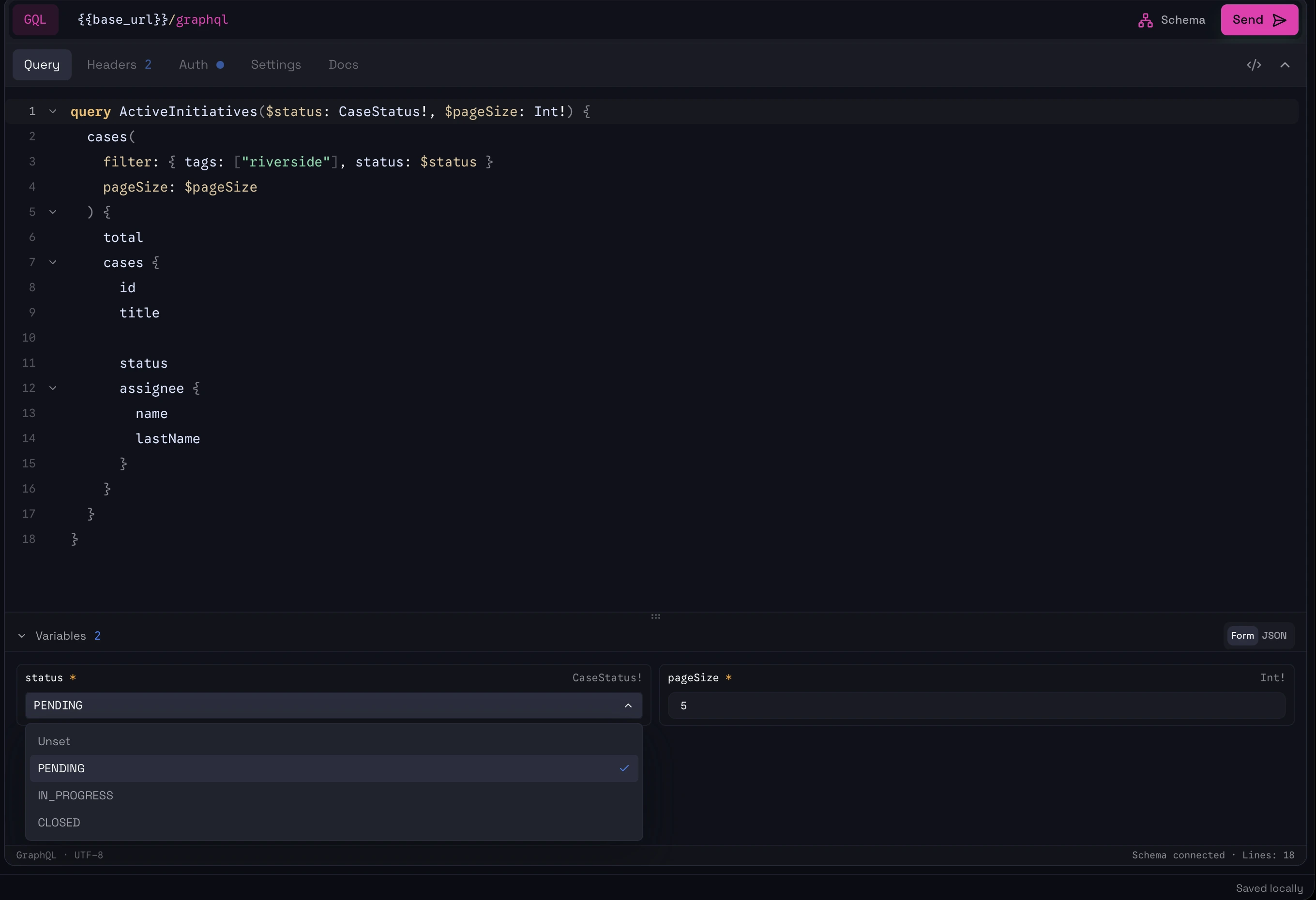
Typed variables. A form when you want it, JSON when you need it.↗
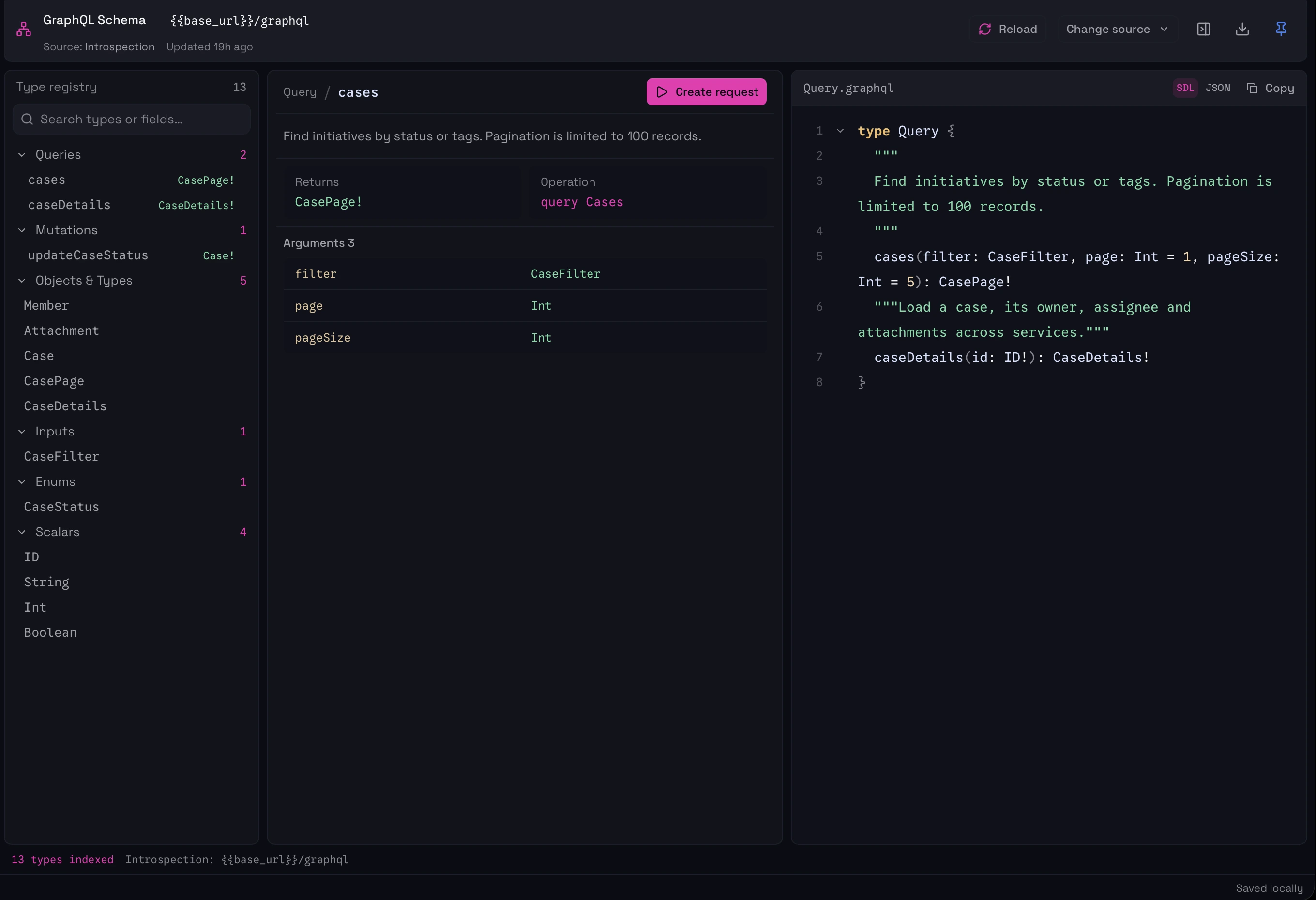
Explore the schema without losing your request.↗
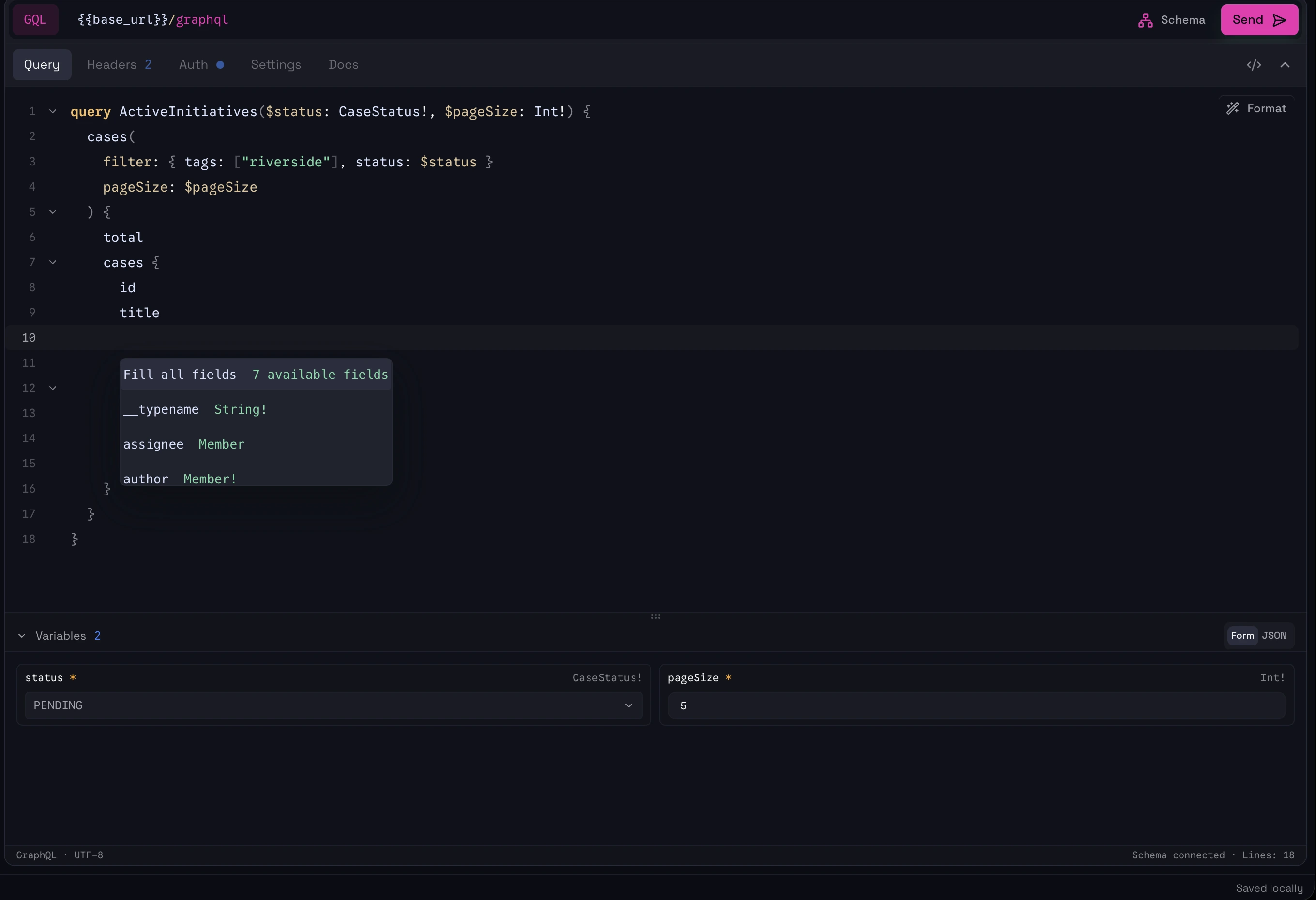
Schema-aware suggestions as you write.↗
01 / EDITOR
Write queries with the schema beside you.
Once Purr connects to the schema, the editor can use it for field autocomplete, argument suggestions, type information, hover documentation, and operation awareness.
You do not have to constantly jump between the query and a separate schema page just to remember what a field accepts.
02 / OPERATIONS
Choose the operation you actually want to run.
A GraphQL document often contains more than one query or mutation.
Purr detects the operations in the document and lets you send the one you want directly, instead of forcing you to constantly rewrite the body or maintain separate copies of the same document.
VARIABLES DO NOT HAVE TO BE RAW JSON
Fill the variables. Don’t rewrite the object.
I never liked having to manually edit the object every time I wanted to change one value.
Purr can render GraphQL variables as a structured form based on the operation. Required values are visible, scalar types are clear, enums can be selected, and you can change a value without touching the JSON structure.
If you prefer JSON, it is still there.
Choose a status, set the page size, or switch to JSON.↗
THE SCHEMA IS NOT HIDDEN IN A SIDEBAR
Browse the API properly.
Purr has a full schema explorer rather than treating introspection as a small helper panel. For a type, you can move through its fields and understand how the schema is connected without losing your current request.
Queries
Mutations
Types
Fields
Arguments
Descriptions
Nested types
Documentation should lead somewhere.
If you find a query or mutation while browsing the schema, you can use it as the starting point for a request instead of manually rebuilding the operation in the editor.
The schema is not only reference documentation. It is part of the request workflow.
Schema field
Create operation
Fill variables
Send
AUTHENTICATION STAYS IN THE WORKSPACE
GraphQL does not live in an isolated browser tab.
If the schema requires authentication or custom headers, it uses the same workspace concepts as the rest of Purr.
That means your GraphQL workflow can use the same environments, authentication, variables, and local workspace as your HTTP requests.
No browser extension just to inject a header.
BUILT FOR GRAPHQL
GraphQL is a first-class document type in Purr.
The goal is not to reproduce every specialized GraphQL IDE feature. It is to make the common GraphQL workflow feel native inside an API client.
01Connect the schema
02Write or browse an operation
03Fill variables
04Send one of several operations
05Inspect the response
06Keep the request in your workspace
Use GraphQL without treating it like a POST body.
Schema-aware editing, proper variables, multiple operations, and a full explorer live in the same workspace as the rest of your API requests.
 Purr